


Welcome to day one! I am so happy you’re here.
I started my blog four years ago during COVID after dreaming about it for years. I’m not exactly sure what led me to pick up the computer and actually take action that day, but I am so glad I did.
Fast forward to now, and I’m making over $4,000 a month from my blog working on it part time. Being able to make money online doing what I love is truly a dream come true and just feels so much different and better than getting a regular paycheck every month.
Along the journey, this little blog of mine helped me pay for my wedding, save a ton of money, and feel a sense of freedom knowing that all of this money is earned completely passively.
None of that ever would have happened if I hadn’t just picked up the computer and gotten started on that day four years ago. Like you are today!
So pat yourself on the back and know that by signing up for this course and actually starting it, you have already done one of the hardest and most important steps of starting a blog.
This blog has truly changed my life and I know it can do the same for you. I believe blogging is one of the best and most achievable ways to make passive income in 2024, which is part of the reason I’m so passionate about helping people get started.
So, over the next 6 days, I’m going to show you exactly how to start a blog in less than an hour a day. By the end, you’ll have your blog all set up and clear next steps to keep going!
What you need to get started
Before we get into the tech stuff, there’s just a couple things you need to get started.
First, you should have an idea of what you want your blog to be called.
Choosing a blog name
You may already have a name in mind for your blog. If so, that’s great! Otherwise it’s time to choose one, because you’ll need it for the next step. Here are some things to keep in mind:
✅ Choose something that’s easy to say and remember:
When people read your blog, you want them to remember its name so you can build brand recognition and trust. In addition, avoid any tongue twisters or super long names.
✅ Choose something related to what your blog is about:
If you know you want to write about a very specific topic, it’s a great idea to pick a more specific & tailored name. But if you’re anything like me and need some room for flexibility, you don’t want to go so specific you feel limited.
✅ Consider using your real name:
For many lifestyle bloggers, using your real name is a great idea. If I hadn’t started my blog anonymously, I definitely would have gone this route. There’s so much to be said for building your personal brand and fostering a personal connection with your audience.
IF you truly can’t decide on a name (i know, i know, it feels so permanent) don’t worry! You can just skip this for now and set it up later. I’ll show you how to start a blog without a domain if that’s what you want to do. You’ll just need to decide before you launch.
Setting up your blog
Now that you’ve decided on a name, you are going to use the name you picked to get setup in Bluehost.
To run a blog, there is really only one main thing you need to pay for, which is called website hosting. You basically pay a small amount for your space on the internet & the software you need your blog.
Don’t let that overwhelm you though, it’s super easy to set up and get started. Plus Bluehost offers a discount to new customers where it only costs $2.95/month, and your domain name (blogname.com) is included! Otherwise you would have to pay for it.
Click here to sign up for Bluehost and get a discount for your first year.
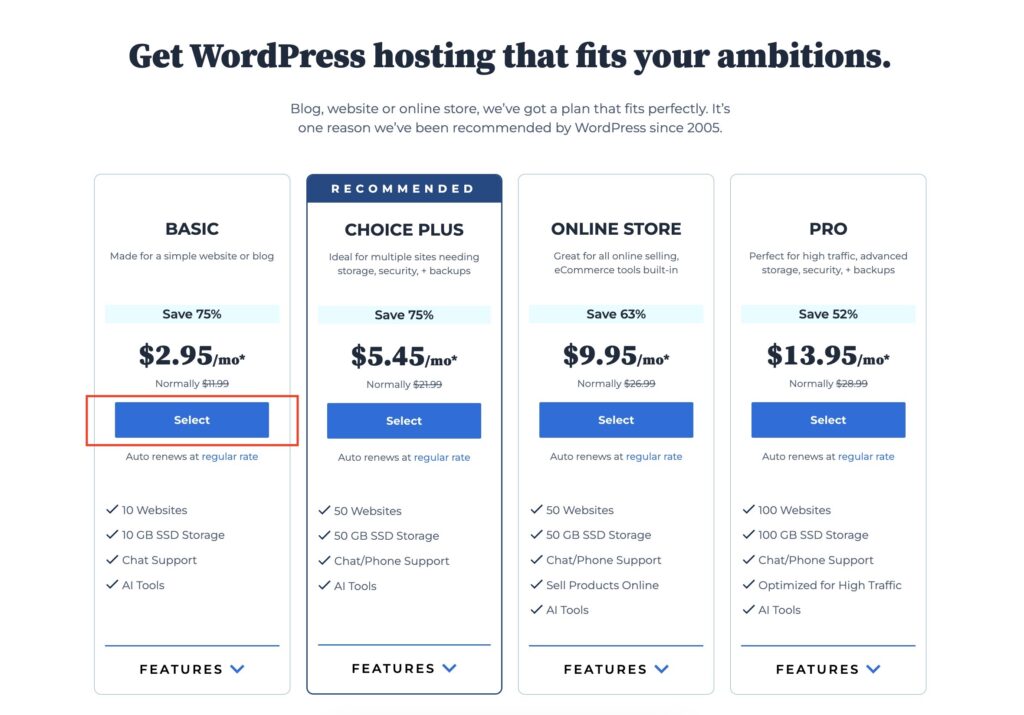
Once you click on the link to Bluehost, you should have a page like this open in another tab. Click here if you need to reopen this.
Just select the “basic” plan for now. As a beginner, it really has everything you need.
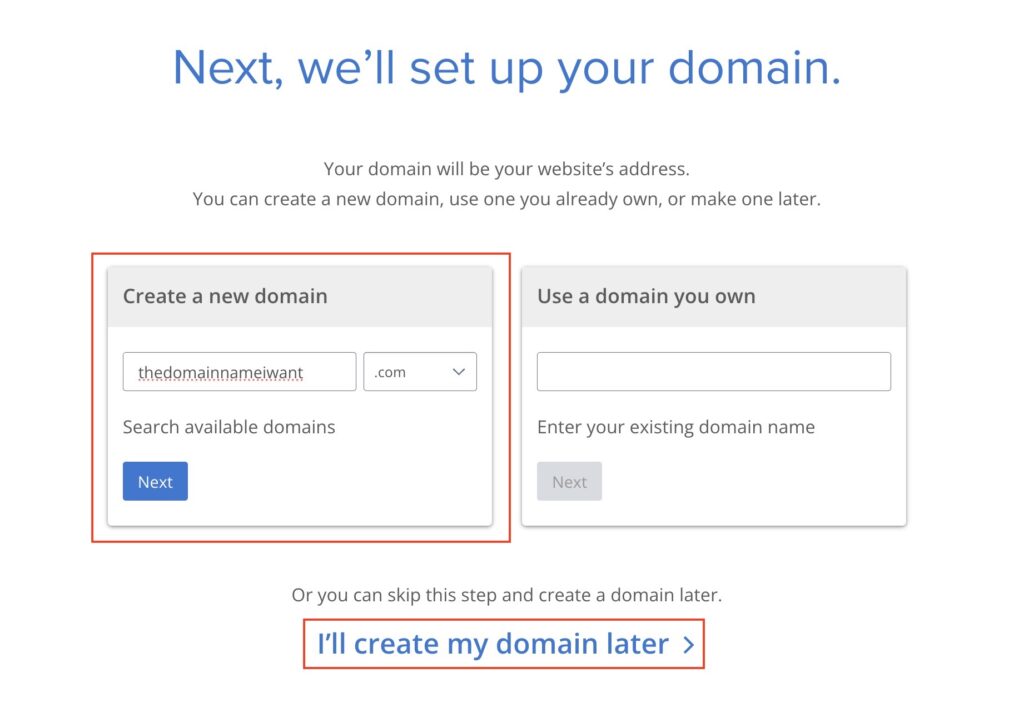
Then, you’ll be directed to choose a domain name. This is where you can enter the name you decided on earlier. If your name is taken, Bluehost will help with some suggestions for available names. If you need to go back to the drawing board, here are some tips:
✅ Consider adding “blog” or “co” at the end of your blog name. For example, if “Whimsyandwander.com” is taken, try “Whimsyandwanderblog.com”
✅ Swap in different synonyms & adjectives to find a unique name
❌ Avoid hyphens and other punctuation in your domain. This will make it easier for people to find your blog in the future. When I tell people my blog, I can just say “daysinspired.com.” It would be so annoying to have to explain “days DASH inspired.com” or something. As a general business rule, I highly recommend trying to stick with just words you can say aloud.
❌ Avoid extensions beyond “.com”. It may be tempting to get a clever domain name like “Thebrightside.blog” (yes, you can actually do that). But it’s not a great idea. The “.com” extension is the most widely known & trusted by people who read blogs. You’re more likely to be found, trusted, and even rank in search results.
Once you’ve found an available domain that works with your blog name, click “next”.
OR, if you can’t find a domain. It’s ok. Don’t get hung up on this right now. This is one of the great things about Bluehost, you can just come back to it later. Just click “I’ll create my domain later to move on”.
Next you’ll fill out your account and payment information. This info is all private so if you’re planning on blogging anonymously, don’t fret about using your real name and email here.
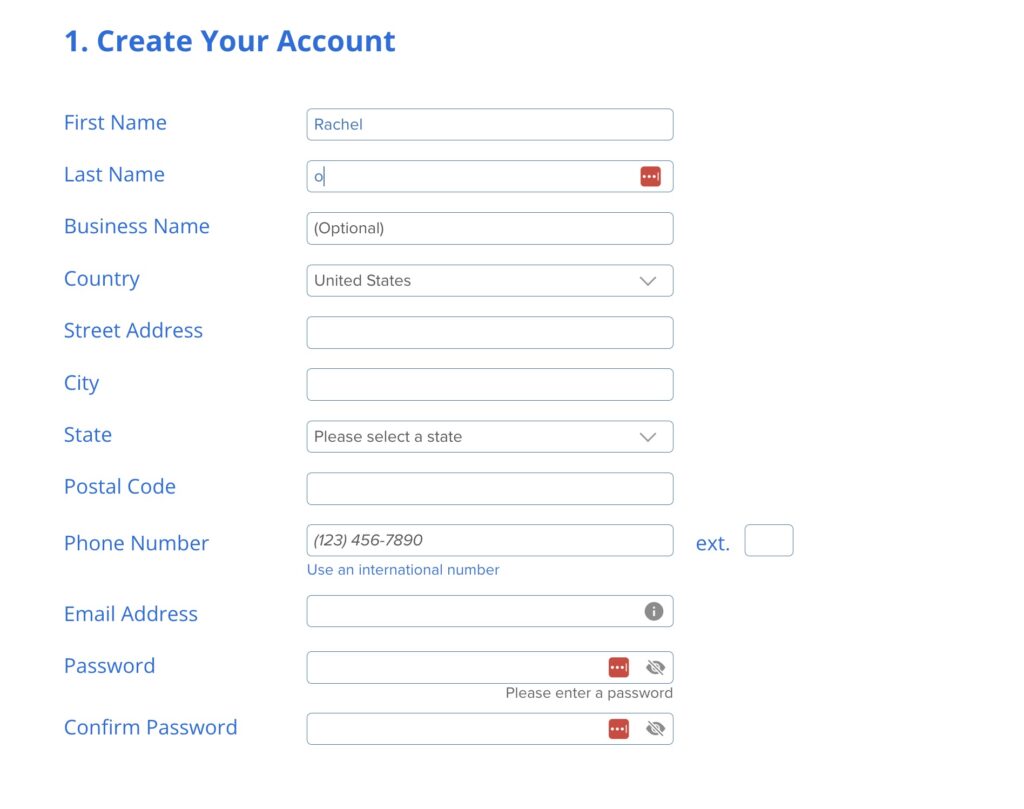
You’ll just need this if you ever have to talk to Bluehost support or have trouble accessing your account.
If you created a new Gmail account for your blog, you can use it for the email. But it doesn’t really matter when you’re just getting started. You can just use your regular email.
Then, Bluehost will ask if you want any add-ons for your blog. I didn’t buy any of these when starting my blog and you probably don’t need to either. I always recommend you keep your costs as low as possible when starting out.
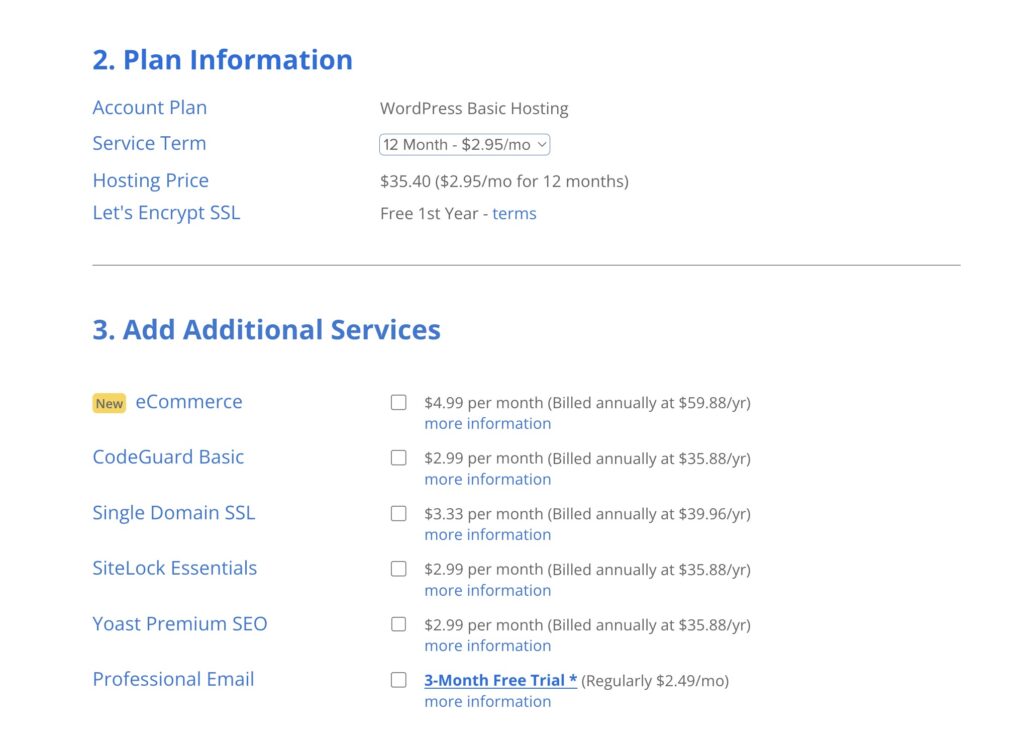
Next, you will pay for hosting. This is the last step before your blog is set up! Once you pay, you’ll be able to log on to your blog and start the fun stuff.
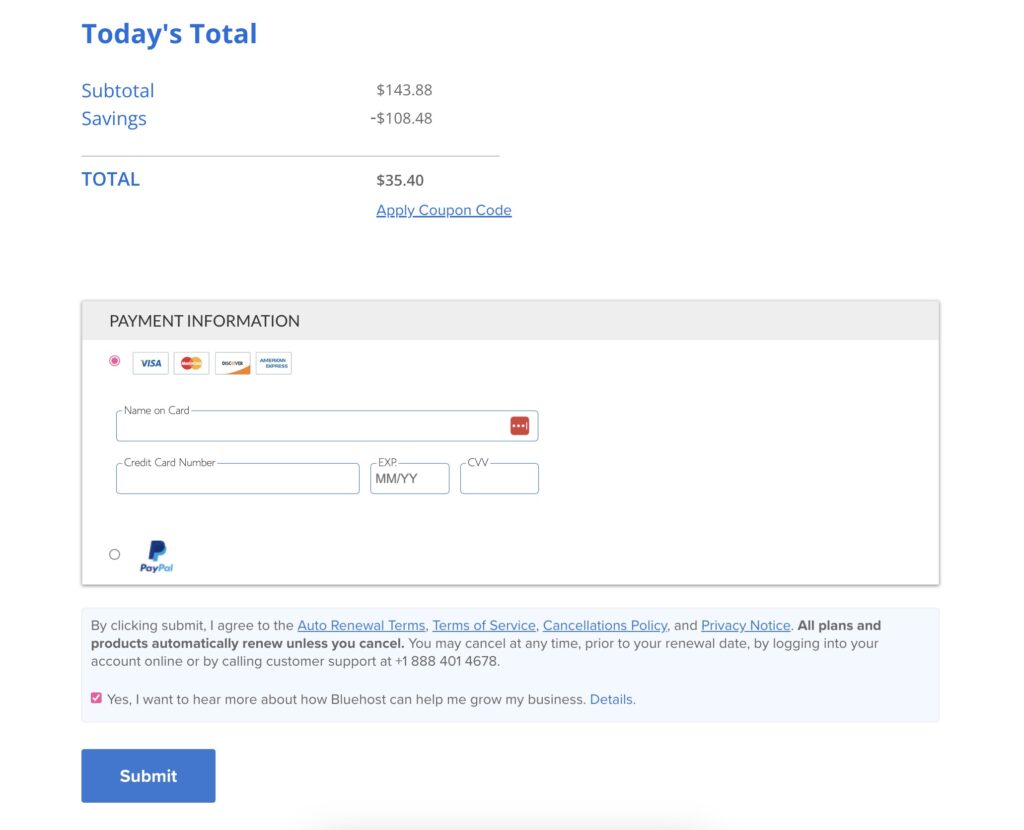
It’s as easy as that!
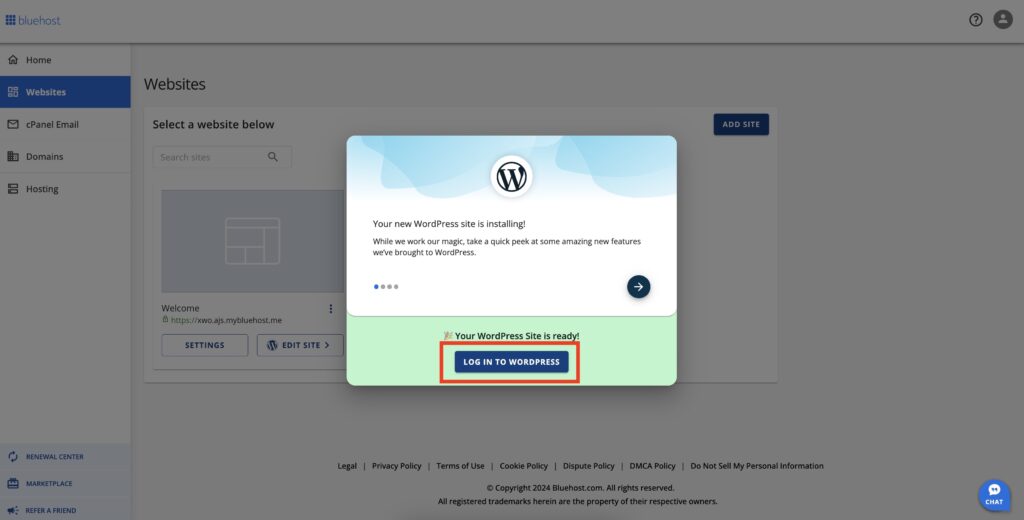
Now, you’ll be redirected to log on to your new blog on WordPress. Let’s just make sure you can log on and then you’ll be done for the day.
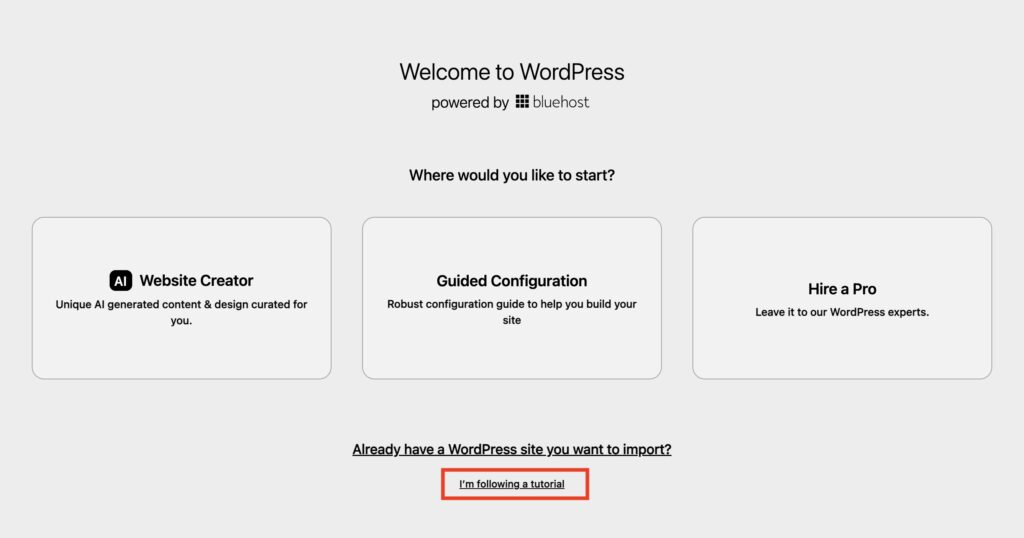
You’ll see this screen, and you can just click “I’m following a tutorial”. I will guide you through the rest and trust me it’s super easy.
Now, you’re officially in your new blog! This is your WordPress dashboard, and you’re going to want to get used to it because you will be spending a LOT of time in here as a blogger.
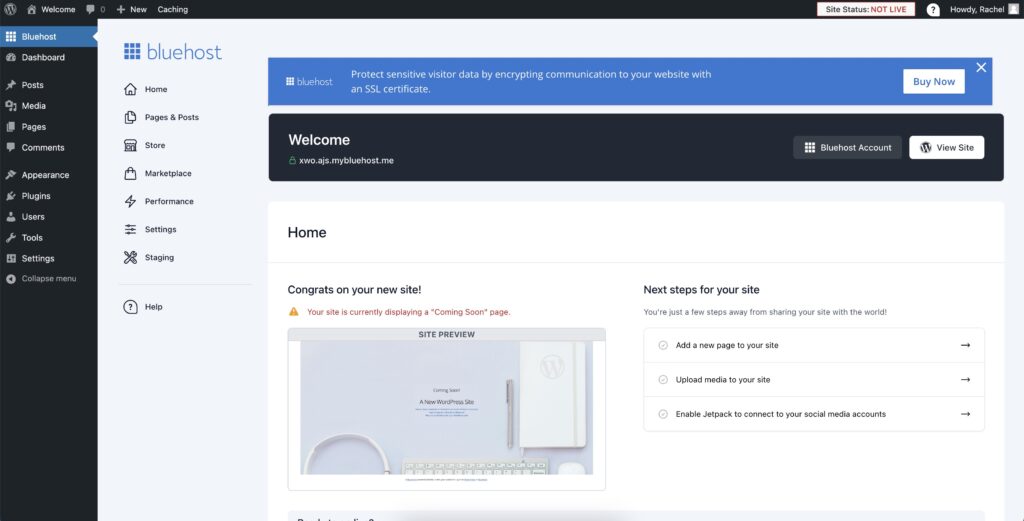
But we can save that for tomorrow, where I’ll go through everything you need to know about this dashboard & how to use it.
You are done for the day!!
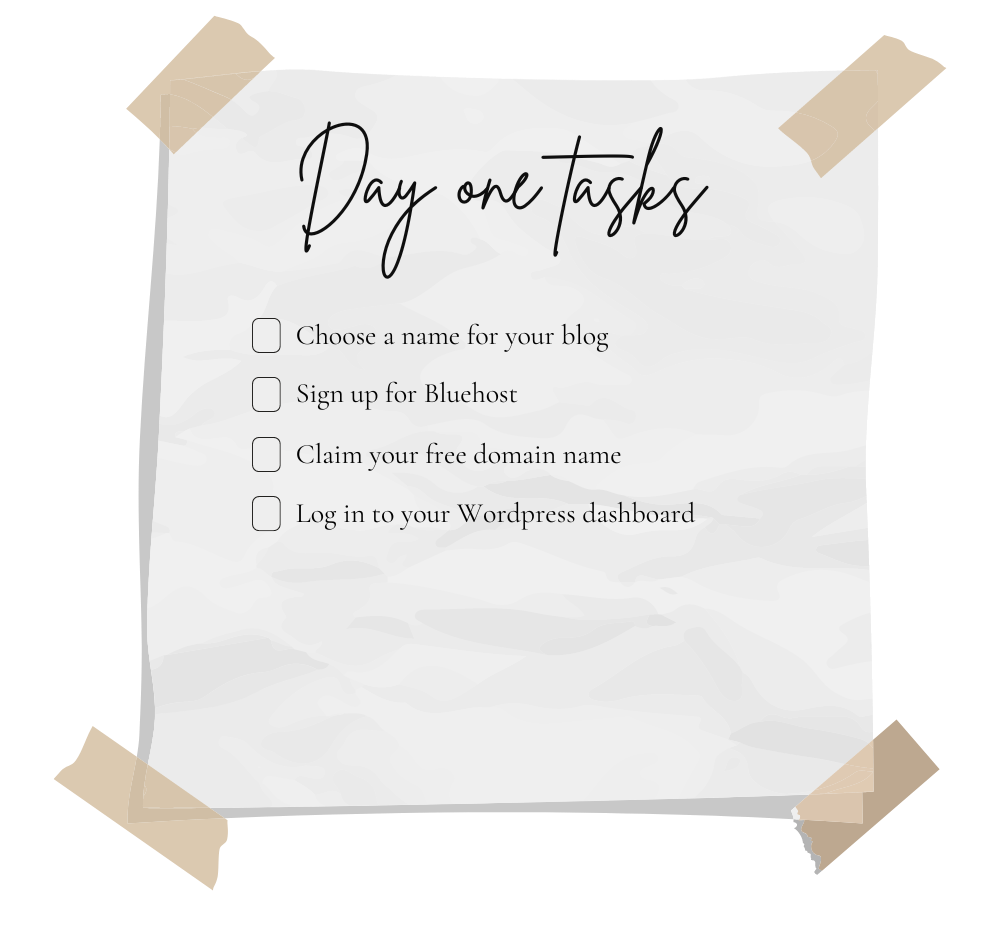
Did you start your blog today?
WOOOHOO! Congrats!!!

If you thought this step was easy and totally doable, trust me, the rest will be too! you’re already 1/6th of the way done, but most importantly, you HAVE a blog now! Once step closer to your dreams.
Tomorrow is a fun one because we will be customizing the look and feel of your blog so it is polished an pretty!